Kosalo Help Center
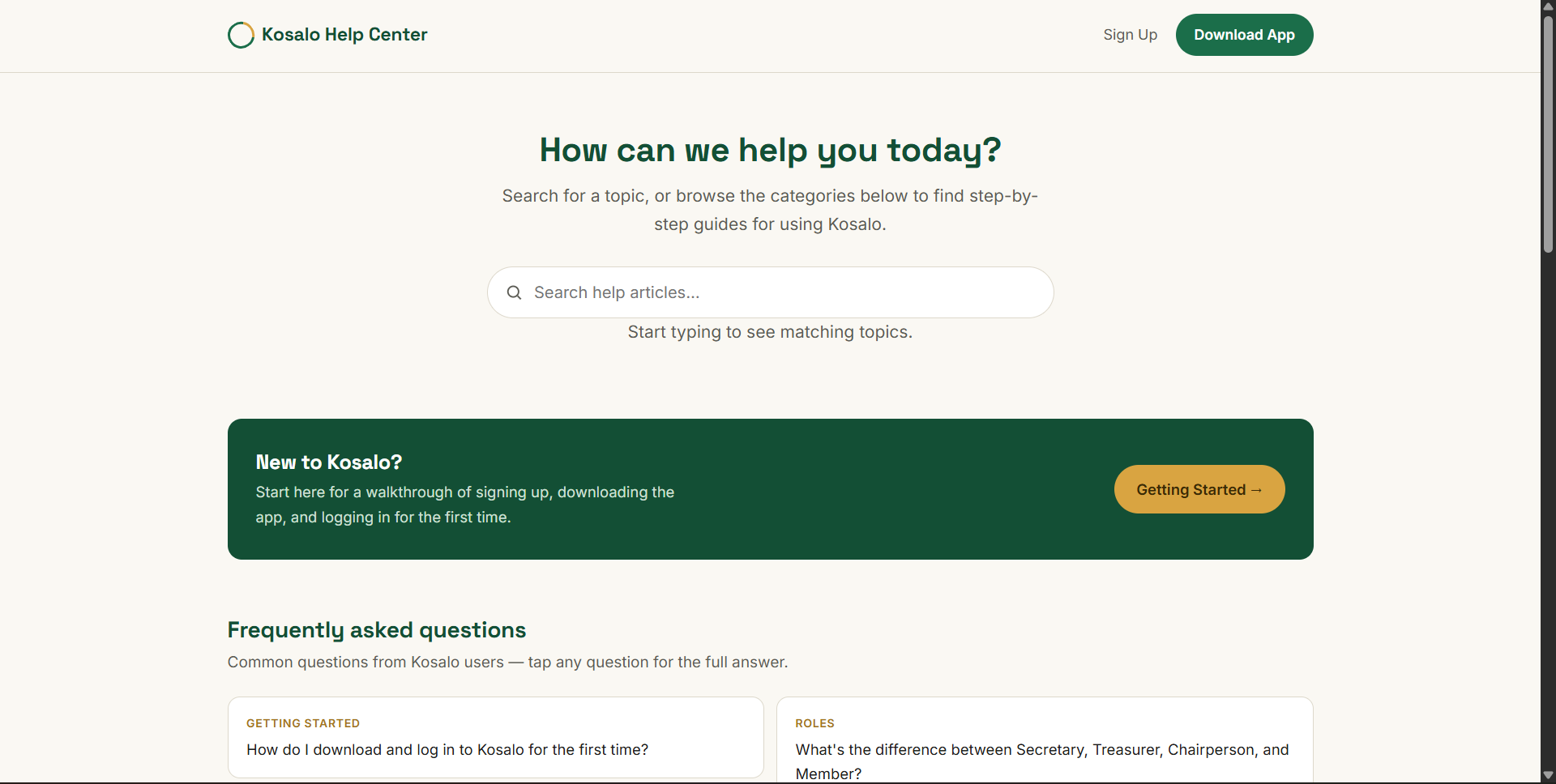
A standalone help center built from scratch for Kosalo, helping treasurers, secretaries and members find answers while they're mid-task on their phone.
The problem
Kosalo needed documentation that people could actually use on a phone while stuck partway through a task, not a wall of text. It also needed to double as a public, well-organised source of truth: material that helps users learn the product, and that gives AI search tools the context to answer questions about Kosalo correctly.
What I built
I built a standalone help center from scratch, structured like a reference shelf of categories rather than one long tutorial. Each category is its own self-contained page, drafted first in Google Docs, then built with a consistent template: a sticky "On this page" sidebar, step lists reserved for real sequences, and a contact card at the end of every article. It links back to the Kosalo website and the Kosalo app.
Inside the help center
Card-based home
A grid of category cards so a visitor can jump straight to the topic they need, with a contact card always in view.
A shelf of categories, not one long guide
Topics include Getting Started, Roles & Permissions, Group Creation & Setup, Cycles, Adding Members, Recording Contributions, AI Scan, and Reports, each written as its own article.
Built for mobile, mid-task
A sticky "On this page" sidebar that collapses on small screens, numbered steps only for genuine sequences, and wide tables that scroll inside their own container instead of breaking the layout.
Fast and self-contained
Plain HTML, CSS and JavaScript with no CMS or database. Each page carries its own styling, so no page can break another, and every page loads quickly.
Tools used
Want to see it for yourself? Visit the Help Center →

“The Help Center has been instrumental in providing clear guidance to our users. The structured approach makes it easy to find solutions quickly, improving user satisfaction and reducing frustration from clients who face technical challenges within the app.”